Community workflow
Find top influencers in Facebook groups
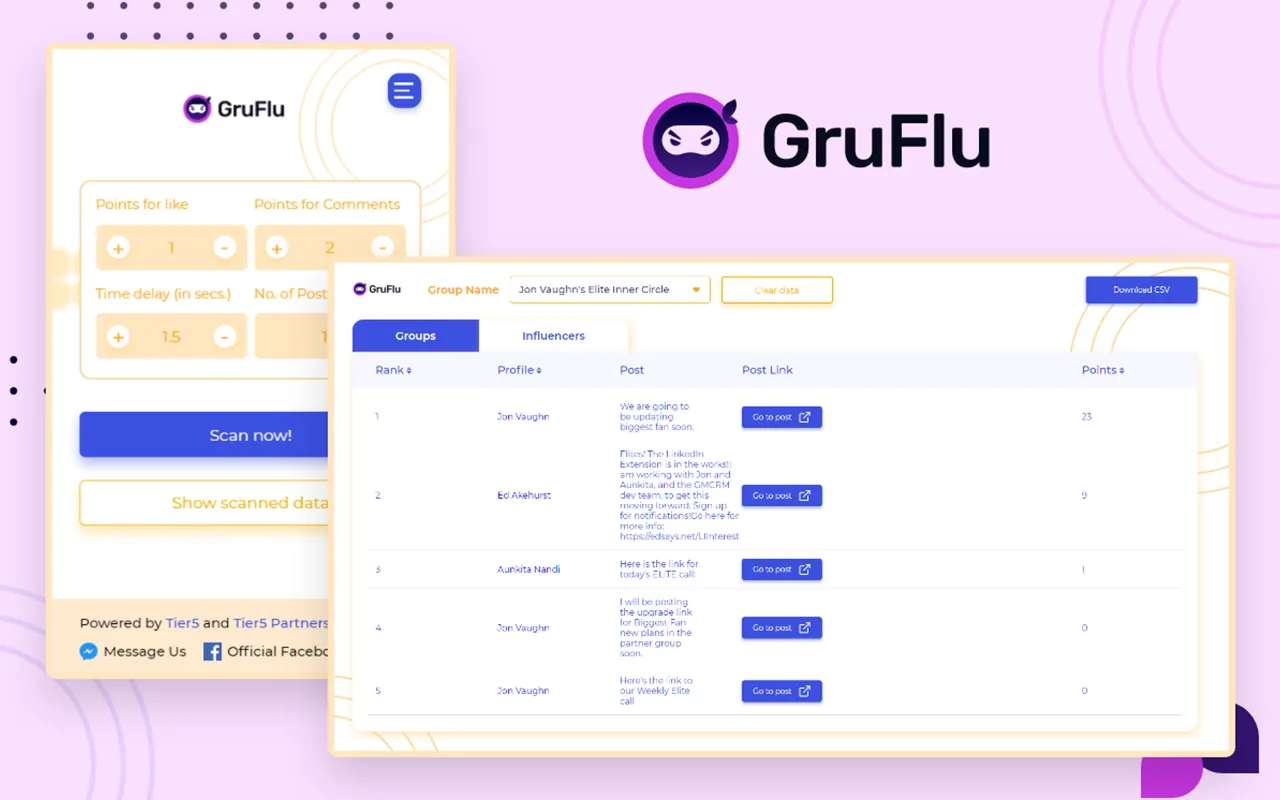
GruFlu supports workflows for adding, managing, and nurturing members within groups.
Watch the walkthrough
See GruFlu in action
Watch this current walkthrough to see the product interface, main setup process, and recommended workflow before getting started.
- Install the Chrome extension where applicable.
- Review key settings before beginning a workflow.
- Use a relevant, thoughtful, and responsible process.
- Contact technical support if you need setup help.
This video is presented from the Best FB Tools training library. Interface elements may vary slightly as the product evolves.
Screenshots
Product screenshots
Real product screenshots from the Chrome Web Store listing.
How it works
Build a more consistent process
GruFlu supports workflows for adding, managing, and nurturing members within groups.
Use the walkthrough above as your first step. Configure the product for your legitimate business workflow, review settings carefully, and keep your process focused on relevant customer interactions.
Recommended setup
Four steps to get started
Subscribe: Complete secure checkout for the product.
Install: Add and pin the extension in Google Chrome, where applicable.
Configure: Follow the current training video and set appropriate options.
Review: Confirm your workflow and contact support if you need help.
License & requirements
What your subscription covers
- One GruFlu license for a single Chrome browser profile, billed monthly through secure Stripe checkout.
- Activate your license with the license key delivered after purchase.
- Requires Google Chrome on a desktop computer — Chromebooks, tablets, and phones are not supported.
- Requires a stable internet connection and a Facebook account in good standing.
Troubleshooting
Quick fixes
- Extension icon missing: open Chrome's extensions menu (the puzzle-piece icon) and pin GruFlu to the toolbar.
- Tool not loading: refresh the page, then check that Chrome is updated to the latest version.
- License not recognized: re-enter your license key carefully and confirm you are using the email address from your purchase.
- Something changed on Facebook: the tools follow Facebook's interface, which Meta updates from time to time. If a feature stops working after a Facebook change, report it to support@tier5.us.
Is it a fit?
Who GruFlu is for
GruFlu is for group marketers, networkers, and community builders who want to find influential members and high-performing posts inside Facebook groups.
It does not grant access to groups you are not a member of, and it does not replace genuine participation. Respect each group's rules and only engage where you are welcome.
GruFlu is an automation aid, not a set-and-forget bot: it respects Facebook's rate limits, and anything it sends, posts, or queues should be reviewed by you. No business, account, or performance outcomes are guaranteed — no tool can promise "ban-safe" operation on a platform it does not control.
FAQs
Common questions
How do I get billed?
Subscriptions are billed through Stripe. For billing questions — charges, invoices, or cancellation — email support@bestfbtools.com.
Where do I get technical help?
For installation, setup, or anything not working as expected, email the software team at support@tier5.us.
What does it find in groups?
It identifies top influencers and high-performing posts in Facebook groups, and supports workflows for adding, managing, and nurturing members.
Which groups does it work with?
Groups you are a member of. Respect each group's rules and only engage where your participation is welcome.
Next step
Ready to get started?
Subscribe securely, download the extension if applicable, and watch the training before use.
Bundle & save
Great alone. Better together.
Every Best FB Tools extension earns its keep on its own — but bundling them together just makes sense. Join our email list and unlock subscriber-only pricing that saves you serious money.
Get subscriber-only pricingWeekly newsletter · We never sell your information · Unsubscribe anytime